Version 3 is out — the first production model, sealed and shipped
In July we said version 3 would land on 15 September. Today it has: Differentiable Segmentations 3.0.0 is released, and evaluation packages are available to imaging OEMs now.
This is the release where the SDK ships its first production model. Everything before it — the 2.x line, five betas and four release candidates over the summer — was the engine, the packaging and the discipline around them. Version 3 puts the model inside.
What it is
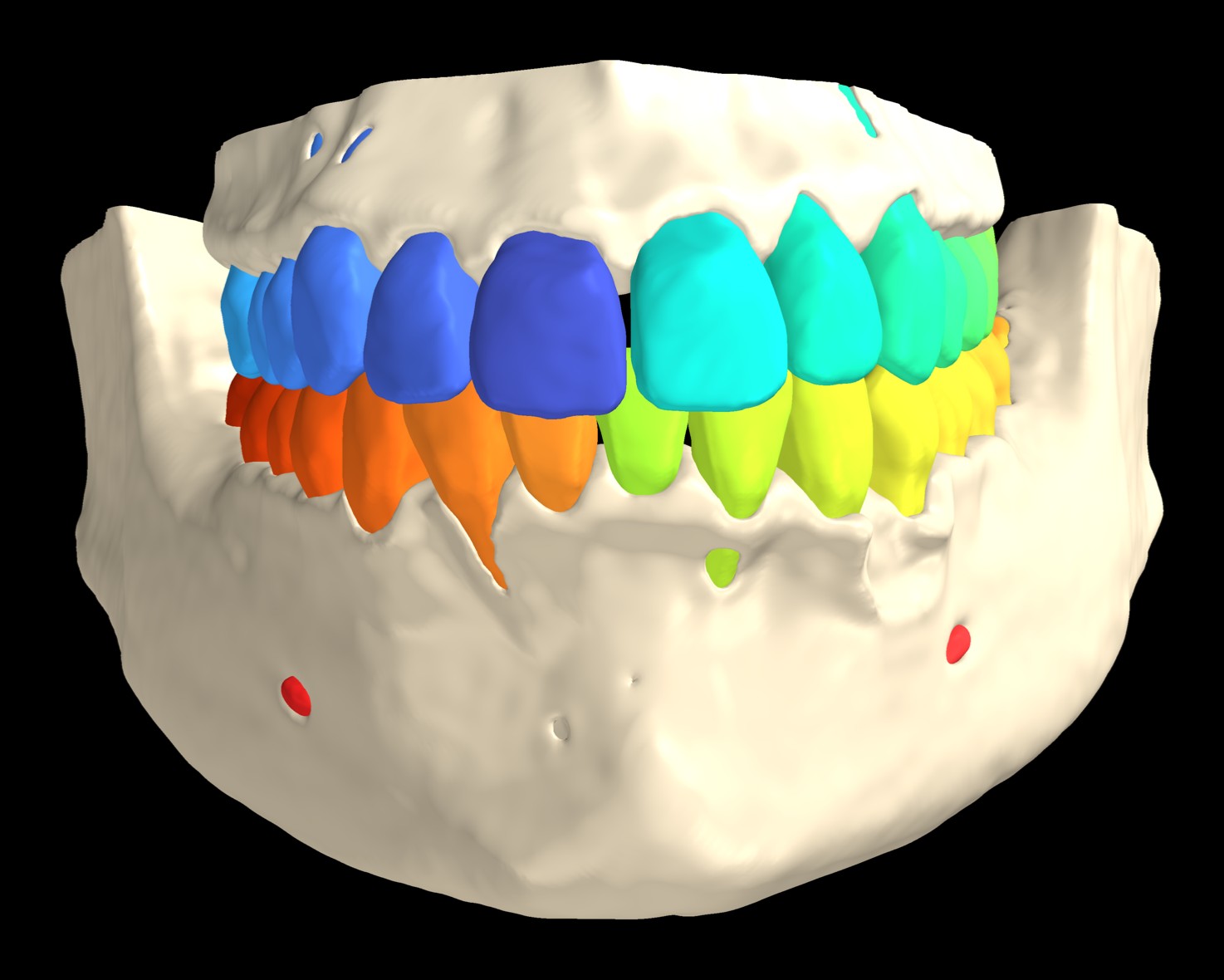
Differentiable Segmentations is a C++ library that links directly into your imaging or planning application and segments a dental CBCT volume into more than 70 anatomical classes in a single pass — teeth at FDI granularity, individual pulps, jawbone, mandibular canals, maxillary sinuses, pharynx and dental work — in-process, on the workstation's NVIDIA GPU, in less than a minute of inference. It sits behind your viewer, not beside it. The render above is the shipped model's label map on one clinical CBCT, nothing drawn by hand: mandible and maxilla, every tooth its own class, and the inferior alveolar canals where they exit at the mental foramina. Thin labial bone that the scan does not resolve stays unlabelled, so a few root surfaces and apices show through; the bone surface is smoothed and closed for display, the label map itself is untouched.
The teams we have talked to this year described the same problems with what they run today, so here is how version 3 answers each one:
- The viewer stays interactive while segmentation runs. A run is asynchronous, reports progress, can hand you intermediate results and can be cancelled. The clinician keeps scrolling; the machine stays theirs.
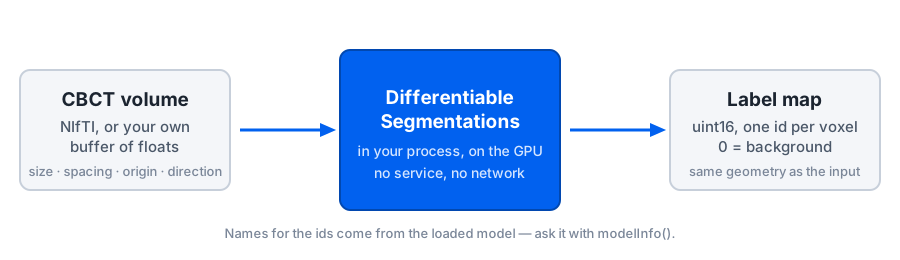
- No interpreter at runtime, no local service, no port. The library is native code that links into your binary. There is no Python to ship, no daemon to install and keep running, no loopback round-trip per volume, and nothing listening on a clinical workstation. No data leaves the machine.
- You get the volume, not a mesh. The result is a voxel label volume in your scan's own geometry, ready for slice overlays and volumetrics. Serialise it as you need — NIfTI, DICOM SEG, or a mesh you generate yourself — and keep only the structures your product uses.
- It runs on the hardware your customers already own. We recommend a 12 GB NVIDIA card, which includes current mid-range consumer GPUs, and it degrades gracefully below that: less memory costs time, not the job (the stress test is below). Sharing the card with the display? Pick the memory-saving mode.
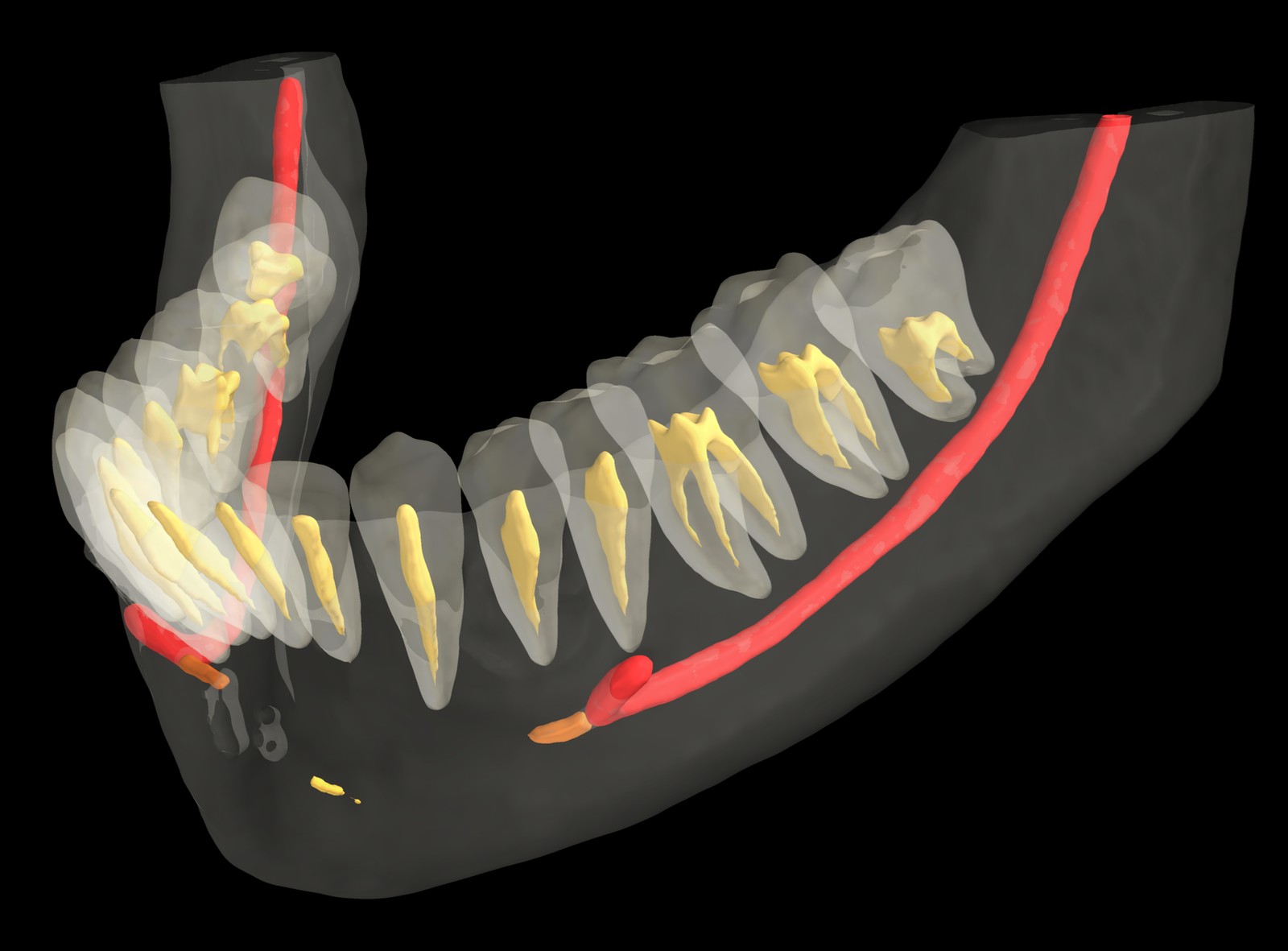
Inside the same mandible, bone and teeth drawn translucent: both inferior alveolar canals in red to the mental foramen, the mandibular incisive canals in orange beyond it, and every pulp chamber and root canal in gold inside its own tooth. The structures an implant or endodontic planning workflow needs are classes of their own, not something your team has to derive.
It is a software component, not a finished medical device: our customers, medical-imaging OEMs, are the legal manufacturers of the products that incorporate it.
What changed for integrators
- The model is a sealed bundle. The production model ships as one encrypted file that opens only under a valid licence, and the public API opens that bundle and nothing else. Model weights never sit on disk in the clear.
- A public API shaped for integration. One type per header, an umbrella header, and failures you can tell apart: a licence problem, a model problem and an input problem are three typed exceptions. Runs can be synchronous or asynchronous, report progress, hand you intermediate results and be cancelled. The library's log messages go through a handler you set, so they land wherever your application's logging goes.
- Speed, memory and processor are choices you make per call. A quality preset trades time for quality on each run. A memory mode trades peak GPU memory for time, so the same build makes full use of a 16 GB card and runs well on a 12 GB one, to the point that it has been stress-tested down to 4 GB of VRAM: we could not make it run out of memory, and it finished its job. On a multi-GPU workstation you choose which card runs inference, so the display card is left alone.
- Left and right follow the patient. Every input volume is reoriented to the orientation the model expects, whatever orientation the file records, and the result comes back in the input's geometry.
- Installers and documentation in the package. A Windows setup and SDK archive, a Debian package and a Linux archive with its own installer. Each carries the user guide and the API reference, and every release publishes its software bill of materials.
Integrators who built against the last release candidate do not rebuild: the public headers and the exported symbols are unchanged, and the 3.x line keeps its public API compatible from here.
How it was built
Every one of the nine pre-releases came out of the same automated pipeline, and so did 3.0.0: a suite of more than 930 automated tests, run on Windows and Linux, memory-safety checks as blocking gates, the numerical output checked against an independent reference implementation on every build, an external consumer that links and runs the installed package on every pipeline, a software bill of materials generated and scanned on every build, and a release that refuses to package unless its changelog, its documentation and its artefact names agree. Between the last release candidate and today, the public headers and the exported symbols did not move by a single symbol; what changed is what a customer reads on release day.
That discipline is also what the documentation is for. The 3.0.0 packages carry a user guide written against the shipped product's own messages and numbers, which says where every figure comes from and what the limits are. Alongside it we maintain a security dossier mapped to IEC 62443-4-1/-4-2, ISO/IEC 27001 and the EU Cyber Resilience Act, available to evaluating OEMs under NDA.
What you need to run it
- Windows 10 or 11, or Ubuntu 24.04, x64.
- An NVIDIA GPU, Ampere or newer, with driver 570 or later. We recommend 12 GB of memory, 16 GB when the same card also drives the display; below that the memory-saving mode still finishes the job, more slowly. CUDA does not need to be installed; the runtime ships with the product.
- 16 GB of RAM (32 GB recommended) and about 4 GB of disk.
How to evaluate it
A different deployment, or a different language? The in-process C++ library is the product, and where it fits it is the right answer: no service, no port, no round-trip per volume. Some teams cannot start there — the application is not C++, or inference belongs on a shared machine in the practice — so we also ship the same engine as a service, with gRPC and REST interfaces, reference clients in Python, C# and Java, and a container image. Same licence, same model, same result, so you can adopt now and move in-process when you are ready. Tell us which shape fits in the evaluation conversation below.
Version 3 is distributed to OEM teams through our evaluation programme: a paid evaluation licence, the full package, and the integration support to validate fit inside your own environment before a broader commercial agreement. The shape we propose is simple and measurable: your own anonymised volumes, which never pass through us, on your own hardware, against a few criteria agreed in writing before we start — the first one usually being that your application stays responsive while a segmentation is running on the same machine. You judge. Terms and package details stay under NDA. Request an evaluation, and tell us what you are building and what it runs on.
Thank you to everyone who worked through the betas with us. The next milestones are the partnerships we hope to announce at the International Dental Show next year.